Voice-first field service

Your techs work with their hands. Let them run the job with their voice.

FieldVoice is a hands-free assistant for HVAC, electrical and plumbing crews. Equipment checklists, site safety checks, defect tracking, manual and code lookups and the work-day log — spoken, not typed, from the ladder, the attic or the truck.

  • Same day onboarding for your whole crew
  • < 1 s spoken response time
  • 99.9% uptime commitment
Built for
  • HVAC / R
  • Electrical
  • Plumbing
  • Controls
  • Refrigeration
  • Mechanical contractors

Product

Everything a tech does on site, without stopping to type.

Voice-guided equipment checklists

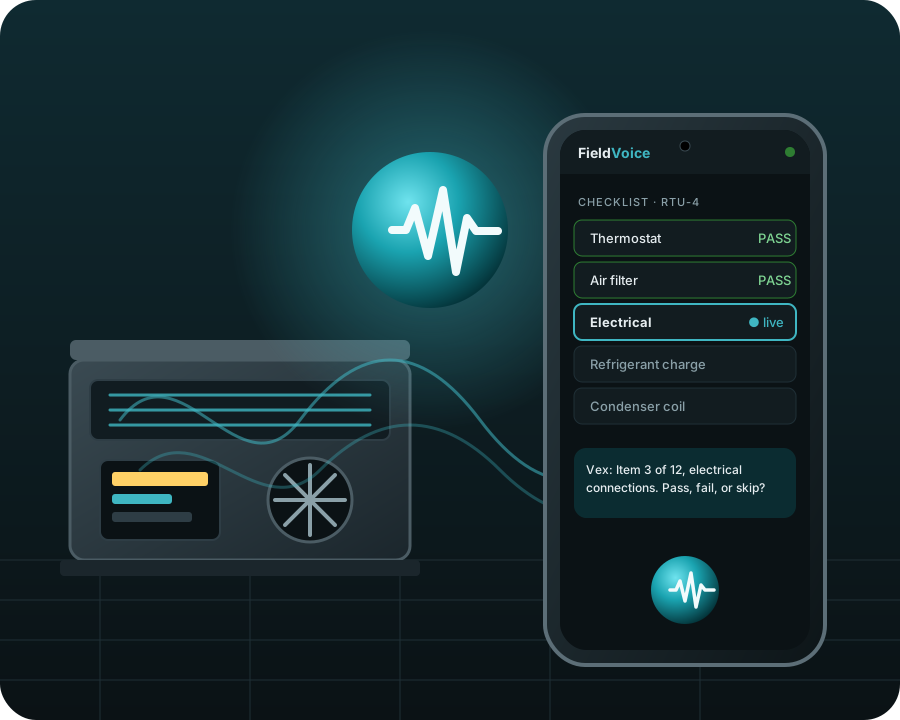
A 12-point HVAC checklist spoken one item at a time. Say pass, fail or skip; failures open an equipment issue with the tech's own words as the defect description. Known history on the unit is read back before the tech touches it.

Site safety check with photo evidence

PPE, lockout/tagout, verified de-energized disconnect, ladder and fall protection, nameplate capture, completed-work photo. Every photo is time-stamped, tamper-evident and attached to the day's record.

Manuals and code, cited

Ask for a fault code, a superheat target or a venting clearance and get the answer from your document library — OEM manuals, code excerpts, refrigerant handling, company SOPs — with the source named. No guessing at part numbers.

The work-day, kept for them

Phase tracking from morning to wrap-up, tasks added by voice, break reminders after four hours, end-of-day summary with checklists run and issues opened. Dispatch sees the same picture in the admin console.

Defects that don't get lost

Equipment issues carry make, model and serial, link back to the checklist that found them, and stay open until a tech resolves them with notes. Open issues surface automatically on the next visit to that unit.

Supply runs, logged by voice

"Log a run to Johnstone for a 45/5 capacitor and a 2-pole contactor." The parts list lands in the day's record so the office knows what was bought and why.

How it works

Three moving parts. Nothing for you to run.

  1. 1

    The app

    An Android app techs open once in the morning. It holds the day's log, the site check, the checklist history and the voice button. Install from the link we send; sign in; talk.

  2. 2

    Vex, the assistant

    One voice assistant, two modes. Assistant for the open-ended day; checklist for the structured pass/fail walk-through. Everything Vex records is scoped to that technician and visible to your office in real time.

  3. 3

    The admin console

    Technicians, checklists, equipment issues, usage, audit history and the document library — for owners and dispatch, in the browser, with role-based access.

12checklist items spoken per unit — HVAC template included, add your own
8site safety items with photo capture and tamper-evident storage
1 dayfrom signed order to a crew talking to Vex on real jobs
99.9%uptime commitment, with status history published to customers

Security

Your crew's data, isolated by design.

Each technician's records are isolated from every other account, every identifier is unguessable, evidence photos are tamper-evident, and every administrative action is logged. Security is built into the platform, not bolted on.

Read the security overview
  • Per-technician data isolation enforced on every request
  • Unguessable identifiers — nothing enumerable from the outside
  • Encrypted in transit and at rest
  • Tamper-evident photo evidence with integrity verification
  • Voice sessions authenticated end to end
  • Optional speaker verification on each session
  • Full audit trail of administrative actions
  • Independent security testing before every major release

FAQ

Questions owners ask first.

Does it work with gloves on, in a loud mechanical room?

Yes. The assistant is voice-first end to end: noise suppression on the audio path, a turn detector that waits for the tech to finish, and short spoken confirmations. The app is for glancing, not typing.

Where does our data live?

In FieldVoice's cloud, in an isolated tenant for your company, encrypted in transit and at rest. You can export everything at any time, and we delete it on request when you leave.

Can we use our own checklists and manuals?

Yes. Upload checklist templates per equipment type and drop PDFs, Word documents or text into your document library from the admin console. Vex cites them by name.

How fast can we roll out?

Same day. Add technicians in the admin console, send them the install link, and they are talking to Vex on the next job.

What phones?

Android today. iOS is on the roadmap; ask sales for timing.

Is there an admin view for dispatch?

Yes — technicians, checklists, equipment issues, usage, audit history and the document library, with role-based access for owners, dispatch and office staff.

Start a free trial

Put Vex on five trucks for thirty days.

Tell us your trade mix and fleet size. We'll set up your workspace, load your checklists and manuals, and have your crew talking to it this week.

  • Workspace ready the same day
  • Your checklist templates and document library loaded
  • Onboarding call for owners and dispatch